Hiding the Threads badge on Instagram is easier than many think. This small badge appears on your profile once you join the Threads app, acting as a quick shortcut to your Threads profile. While some users enjoy having it visible, others prefer a cleaner, simpler Instagram profile without extra icons.
Whether you want to declutter your profile or just manage your online presence more effectively, knowing how to control this badge is helpful. In this guide, I’ll walk you through simple steps to hide or unhide the Threads badge on Instagram. By following these easy instructions, you can quickly customize your profile’s appearance and decide how you want your connections to see your Threads activity.
Read More: Master Instagram’s New Map Feature: Step-by-Step Tutorial
What Is the Threads Badge on Instagram
The Threads badge appears automatically when you join the Threads app. It’s displayed under your account name or near your username on Instagram, acting as a quick shortcut for followers to find and visit your Threads profile. This seamless integration connects Instagram and Threads, making it easier to switch between the two platforms.
Initially, the badge included a unique number indicating the order in which users joined Threads—for example, 200,000 meant you were the 200,000th user. Many people found this feature fun, but Instagram later removed the numbering system.
Now, the badge is simply a small Threads icon. While the Instagram shortcut inside Threads can’t be removed, you can hide the Threads badge on Instagram, giving you more control over your profile’s appearance and keeping it clean.
How to Hide the Threads Badge on Instagram
There are two simple methods to hide the Threads badge on Instagram.
Method 1: Long-press the Badge
Open your Instagram profile and locate the Threads badge. Press and hold the badge until a menu appears, then tap Remove. The badge will be hidden instantly.
Method 2: Use Edit Profile
Go to your profile and tap Edit Profile. Find the switch labeled Show Threads shortcut and turn it off. The badge will disappear immediately.
The new badge can be restored anytime by turning the Show Threads shortcut back on, making it easy to hide and unhide whenever you want.
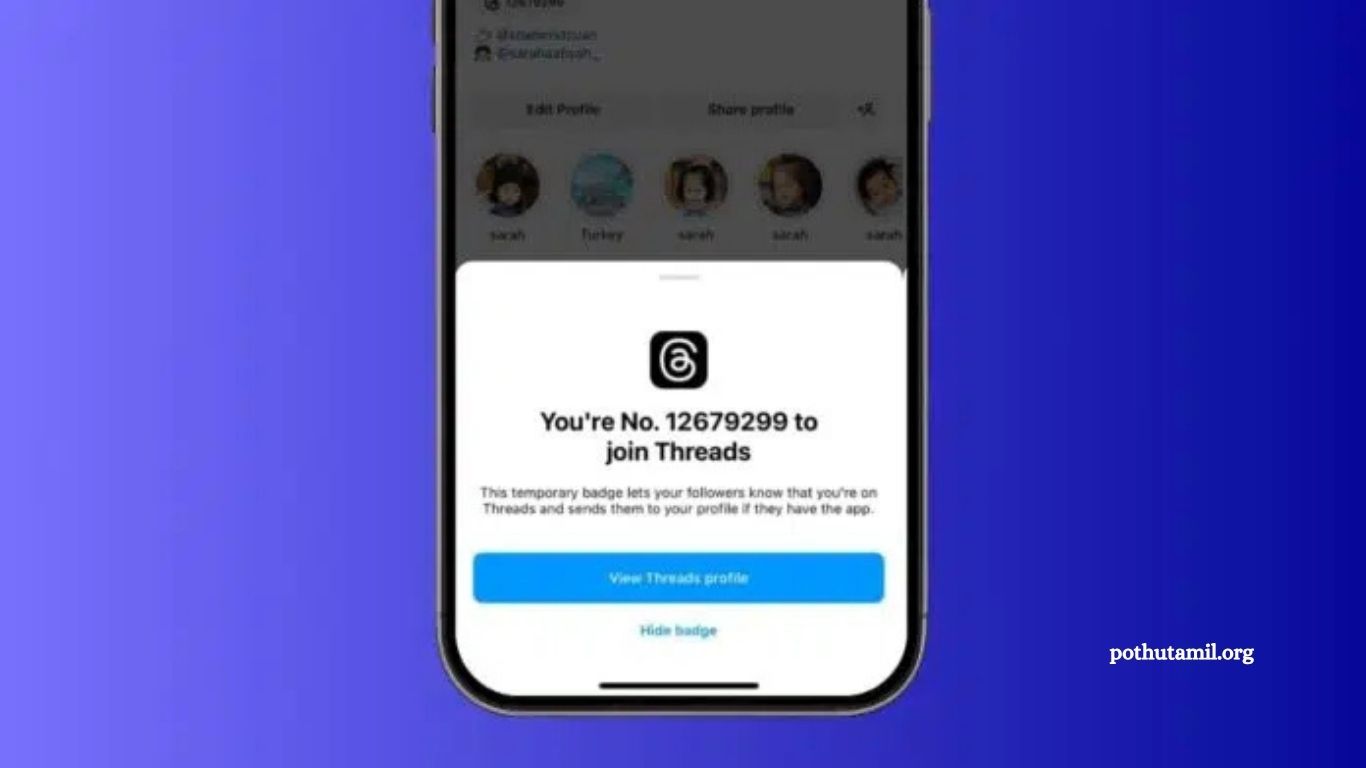
Older badges worked differently. They displayed a rank number instead of just the icon. Hiding these badges was permanent. If you removed an old badge, it could never be restored. When tapping an older badge, a pop-up offered View Threads profile or Hide badge, along with your rank number. Choosing Hide badge prompted a confirmation warning that removal was irreversible.
Always check your badge version. The newer shortcut badge offers more flexibility, allowing you to control your profile’s appearance effortlessly.
What Is the Threads Badge on Instagram
The Threads badge appears automatically when you join the Threads app. It’s displayed under your account name or near your username on Instagram, acting as a quick shortcut for followers to find and visit your Threads profile. This seamless integration connects Instagram and Threads, making it easier to switch between the two platforms.
Initially, the badge included a unique number indicating the order in which users joined Threads—for example, 200,000 meant you were the 200,000th user. Many people found this feature fun, but Instagram later removed the numbering system.
Now, the badge is simply a small Threads icon. While the Instagram shortcut inside Threads can’t be removed, you can hide the Threads badge on Instagram, giving you more control over your profile’s appearance and keeping it clean.
Reasons to Hide or Keep the Threads Badge
Some users choose to hide the Threads badge for a cleaner profile. Fewer icons make the Instagram profile look simple and neat. Others remove it because they rarely use Threads and don’t see the need for the shortcut.
On the other hand, there are good reasons to keep it. The badge makes it easy for followers to find you on Threads and visit your profile directly. It also allows quick switching between Instagram and Threads, saving time.
For creators and influencers, the badge can be particularly useful. It shows your activity on Threads, helping grow your audience across both platforms without extra effort.
The badge is temporary and primarily a marketing tool from Instagram to promote Threads. Hiding it does not delete your Threads account—your profile still exists unless you remove it separately. The badge is simply a shortcut, not your actual account.
Step-by-Step Guide for Hiding the New Threads Badge
To Hide the Badge:
- Open the Instagram app and go to your profile.
- Locate the Threads badge near your username.
- Press and hold the badge icon.
- Tap Remove when the pop-up appears.
Or using Edit Profile:
- From your profile page, tap Edit Profile.
- Find the Show Threads shortcut switch.
- Turn it off to hide the badge immediately.
To Restore the Badge:
- Go back to Edit Profile.
- Turn the Show Threads shortcut switch on.
- The badge will reappear instantly on your profile.
Step-by-Step Guide for Hiding the Old Threads Badge
- Open Instagram and go to your profile.
- Tap the Threads badge under your username.
- A pop-up will appear showing your join rank and two options.
- Tap Hide badge to begin removal.
- A warning will appear, notifying you that this action is permanent.
- Tap Remove badge if you are sure.
- Once removed, the old Threads badge is gone permanently and cannot be restored or unhidden later.
Important Things to Remember About the Threads Badge
- The Threads badge appears automatically when you join Threads.
- It serves as a shortcut to your Threads profile.
- Your followers can tap the badge to visit your Threads profile instantly.
- The old numbered badge cannot be restored once hidden.
- The new shortcut badge can be hidden or unhidden anytime.
- The badge is mainly a temporary marketing feature from Instagram.
- It does not provide any technical benefits to your Instagram account.
- Hiding the badge does not delete your Threads account; your profile remains active unless removed separately.
Frequently Asked Questions
What is the Threads badge on Instagram?
The Threads badge is a small icon that appears on your Instagram profile after joining Threads. It acts as a shortcut for followers to visit your Threads profile.
Can I hide the Threads badge?
Yes. The new shortcut badge can be hidden via Edit Profile or by long-pressing the badge. The old numbered badge can also be hidden, but removal is permanent.
Can I unhide the Threads badge?
Only the new shortcut badge can be restored by turning on the Show Threads shortcut in Edit Profile. The old numbered badge cannot be unhidden.
Does hiding the badge delete my Threads account?
No. Hiding the badge only removes the shortcut from Instagram. Your Threads account remains active.
Why would I want to hide the badge?
Users hide it for a cleaner, simpler profile or because they rarely use Threads.
Why would I keep the badge?
The badge helps followers find you on Threads easily, allows quick switching between apps, and can boost visibility for creators and influencers.
Conclusion
The Threads badge on Instagram is a small but useful feature that connects your Instagram and Threads profiles. Whether you choose to hide it for a cleaner look or keep it for easy access and visibility, understanding how it works gives you full control over your profile.
The new shortcut badge is flexible, allowing you to hide or unhide it anytime, while the older numbered badge is permanent once removed. Remember, hiding the badge does not delete your Threads account—it only removes the shortcut from Instagram.